

Connectivity in the Philippines is better than its reputation and worse than its marketing. In Manila, Cebu, Davao and the main tourist towns you will have fast, cheap mobile data within an hour of landing. Two ferries later, on an island where the electricity itself is rationed, you may have one bar of signal in the corner of the dive shop and nothing at your guesthouse. Neither situation is a problem if you plan for it. What causes trouble is arriving with a phone that cannot be registered, a booking confirmation you never downloaded, and an assumption that the archipelago works like a city. This guide covers how to get online legally, what it costs in 2026, and where the signal genuinely stops.
The rule you cannot skip: SIM registration
Since the SIM Registration Act, Republic Act 11934, every SIM sold in the Philippines must be registered before it will activate. The rule applies to Filipino citizens, resident foreigners and tourists alike, and it applies to local eSIMs as well, because it is the subscription that is registered rather than the piece of plastic.
For visitors, the practical requirements are consistent across the three networks:
- A valid passport, with the photo page available as a scan or a clear photograph.
- Proof of a local address, which in practice means a hotel or guesthouse booking confirmation.
- For some operators, evidence of onward or return travel showing your departure date.
Registration is done through the operator's web portal or app, usually in a few minutes, and the SIM activates shortly afterwards. Visitor registrations are typically tied to the length of your stay rather than granted open-ended, so if you return months later, expect to re-register rather than resume. Buy from an official store, a telco counter at the airport or an accredited dealer. Pre-registered SIMs sold informally are not worth the small convenience: they are registered to someone else, and they can be deactivated without warning.
One request. Up to five tailored proposals.
Skip contacting agencies one by one — share your trip once and let up to five trusted Philippines agencies come to you. Free, with no obligation.
Get my free quotesChoosing a network: Globe, Smart or DITO
Three operators matter. Globe and Smart, the latter part of PLDT, have the deepest nationwide coverage and are the sensible default for travel outside the big cities. DITO, the third entrant, is often the cheapest and performs well in urban areas, but its provincial coverage remains patchier, which makes it a poor sole choice for an island-hopping itinerary.
There is no single winner. Coverage is genuinely local: in one town Smart will be the only usable network, in the next it will be Globe. Regular travellers to remote areas often carry both, either as two eSIM profiles or a physical SIM plus an eSIM. If you are going to be in the Cordillera, the Batanes islands, Palawan's west coast or the small Visayan islands, ask your accommodation which network works at their location before you buy. It is a question every guesthouse can answer immediately.
Local SIM or travel eSIM: how to decide
A local prepaid SIM or eSIM gives you a Philippine number, which matters more than travellers expect. Domestic bookings, ferry operators, dive shops and delivery services communicate by SMS and by calls, and mobile wallets are built around local numbers. If you are staying more than a week or booking anything locally, go local.
An international travel eSIM, bought before you fly, gives you data the moment you land and no paperwork at all. It is the right answer for a short trip, for a first night when you arrive late, or as a backup profile alongside a local line. The trade-off is that most of these products are data-only, with no Philippine number, and they ride on the same underlying networks, so they do not solve a coverage problem.
The practical compromise many slow travellers settle on: a travel eSIM activated on arrival for the first day, then a local Globe or Smart line bought and registered properly once you are settled.
Get matched with up to 5 trusted Philippines agencies
- Free
- No obligation
- Up to 5 agencies
What it costs in 2026
Prices remain low by international standards. Globe's Prepaid Traveler eSIM, aimed squarely at visitors, is around 1,750 pesos for roughly 80GB with unlimited local calls and texts over 30 days. Standard local prepaid SIMs cost very little to buy, with the money going into data promos: expect somewhere between 500 and 1,000 pesos a month for a generous allowance, and considerably less if you only need messaging and maps.
International travel eSIMs start at roughly four US dollars for one gigabyte, with twenty gigabytes commonly around thirty dollars. Typical real-world speeds on 4G and 5G in well-covered areas sit in the 15 to 50 Mbps range, which is more than enough for video calls, and far more than you will get on most guesthouse Wi-Fi. Top-ups, called load, are sold everywhere, including sari-sari stores in villages, and buying load from a neighbourhood shop is one of the easiest small transactions to practise your first Tagalog or Cebuano on. If you are working out your wider spending, our guide to handling money in the Philippines covers cash, cards and GCash, which is where your load top-ups will often come from.
Where coverage actually fails
Be realistic about the map. Signal is strong across Metro Manila, Cebu, Davao, Iloilo, Bacolod, Puerto Princesa, Boracay, El Nido town and most provincial capitals. It thins quickly in the mountains, on small islands without a permanent cell site, in karst valleys, and at sea. Ferry crossings of more than an hour frequently lose service in the middle.
Specific places worth knowing about: the interior trails of the Cordillera, stretches of the Batanes coast, the smaller Romblon and Cuyo islands, parts of Sibuyan, the back roads of southern Palawan, and much of the Sulu and Mindanao coastal margins. Power cuts compound the problem, since a cell site running on battery backup will reduce capacity before it fails entirely.
This is not a defect to be engineered away. It is part of why these places still feel the way they do, and choosing them deliberately, as we suggest in our guide to the Philippines off the beaten path, means accepting some hours offline.
Wi-Fi, Starlink and working from the islands
Guesthouse Wi-Fi across the archipelago ranges from fibre that outperforms your home connection to a single shared line that collapses at eight in the evening. Two things have changed the picture in recent years. Fibre rollout has reached many provincial towns, and satellite internet has arrived in places that will never get a cable, so a surprising number of remote dive resorts and mountain lodges now advertise a Starlink terminal.
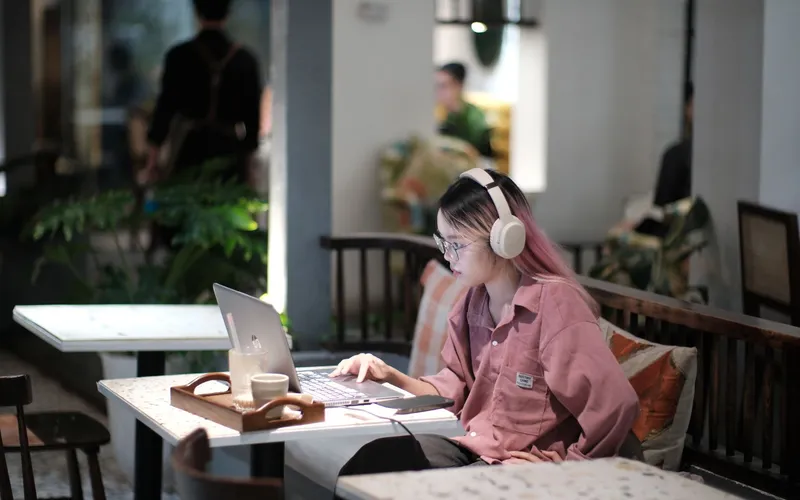
If you need to work, ask three specific questions before booking rather than trusting the words "free Wi-Fi": what is the connection type, is it shared with the whole property, and does the router have backup power during an outage. That last question has become essential in the Visayas. Co-working spaces exist in Manila, Cebu, Dumaguete, Siargao and Baguio, and cafés in university towns are reliably good. Government sites and many airports offer free public Wi-Fi, which is fine for a boarding pass and unwise for anything involving your bank; use your own data or a VPN for anything sensitive.
For destinations where connectivity is genuinely marginal, plan around it instead of fighting it. Our portrait of the Batanes islands is a good example of a place where the right approach is to tell people you will be out of contact.
Staying connected without being permanently online
There is a slow-travel argument buried in all of this. Constant connectivity in the Philippines is achievable, but chasing it will push you towards the towns that have towers, cables and crowds, and away from the places you came for. A better model is to be reachable rather than available: download what you need, sync when you are in a signal, and let the gaps stand.
Practical habits that make this painless:
- Download offline maps for every island before you leave a good connection.
- Keep boarding passes, ferry tickets, permits and your accommodation addresses as screenshots or PDFs.
- Tell one person at home your rough itinerary and warn them about the gaps, so silence is not alarming.
- Save your accommodation's mobile number, not just an email address, since local businesses answer messages far faster.
- Carry a power bank; connectivity is useless with a dead phone, especially during a brownout.
If you plan to fly a camera drone, note that registration and permits are a separate matter entirely, covered in our update on Philippine drone rules.
What to Do Next
- Before you fly, install one international travel eSIM as a safety net for arrival day, and check that your phone is carrier-unlocked.
- Photograph your passport photo page and save your first accommodation booking as a PDF, so registration takes minutes.
- On arrival, buy a Globe or Smart prepaid SIM at an official airport counter and complete the registration before you leave the terminal.
- Ask each accommodation, when booking, which network works at their location and whether the router has backup power.
- Download offline maps and your ticket documents for every leg of your route while you still have a reliable connection.
- Set expectations at home about the days you will be out of contact, then stop apologising for them.
For a broader view of how we think about travelling this way, see the UNRUSH slow travel charter.
Frequently Asked Questions
Can tourists really buy a SIM card in the Philippines?
Yes. Foreign visitors can buy and register prepaid SIMs from all three networks. You need your passport and proof of a local address, which a hotel or guesthouse booking satisfies, and some operators also ask to see onward travel. The process is done online through the operator's portal and usually takes a few minutes at an official counter.
Is an eSIM better than a physical SIM in the Philippines?
Neither is universally better. An eSIM is faster to set up, cannot be lost, and lets you hold two profiles at once. A physical SIM is easier to buy from small dealers, works on older handsets, and is simpler to swap if you decide a different network covers your route better. Many travellers use both: a travel eSIM for arrival and a local physical SIM for the rest of the trip.
How much data should I budget for a month?
For maps, messaging, occasional video calls and normal browsing, 30 to 50GB a month is comfortable. Globe's traveller package of around 80GB over 30 days is generous for most visitors. If you stream video or work remotely with video meetings, plan for 100GB or more and expect to buy additional promos, which is straightforward and inexpensive.
Will my phone work on remote islands?
Often, but not always, and rarely at the speed you are used to. Islands with a permanent cell site usually have voice and basic data in the main village and nothing on the far side. Assume you will be offline on boat crossings and on hiking days. Ask locally which network has the tower, because on small islands it is frequently only one.
Is public Wi-Fi safe to use?
Treat it as you would anywhere: fine for checking a map or a booking reference, not for banking, and preferably behind a VPN. Public networks in airports, malls and government sites are widespread and generally functional but unencrypted. Your own mobile data is both faster and safer, and it costs very little here.
Do I need a Philippine phone number?
If you are staying more than about a week, yes, it is genuinely useful. Ferry operators, guesthouses, guides and delivery services communicate by SMS and calls, and mobile wallets like GCash are tied to local numbers. Data-only travel eSIMs work well for short trips but leave you unable to receive a call from a boatman who cannot find you.
What happens to my connection during a power outage?
Mobile networks generally stay up because cell sites have battery and generator backup, though speeds can drop when several sites run on reserve. Fixed-line Wi-Fi in accommodation usually stops with the mains unless the property has an inverter, a generator or a satellite terminal on backup power. In areas with scheduled outages, your mobile data is the more reliable option.